Enroll contacts in a countdown event straight from a workflow
Registering a contact for a countdown event used to require an opt-in or a page view, which left late arrivals, make-up events, and close-cart pushes hanging. Workflows can now register a contact for a specific countdown event as part of any run. Opt-in workflows enroll people automatically, and standalone workflows let your team drop contacts into an event by hand, one at a time or in bulk.
Key Features & Benefits:
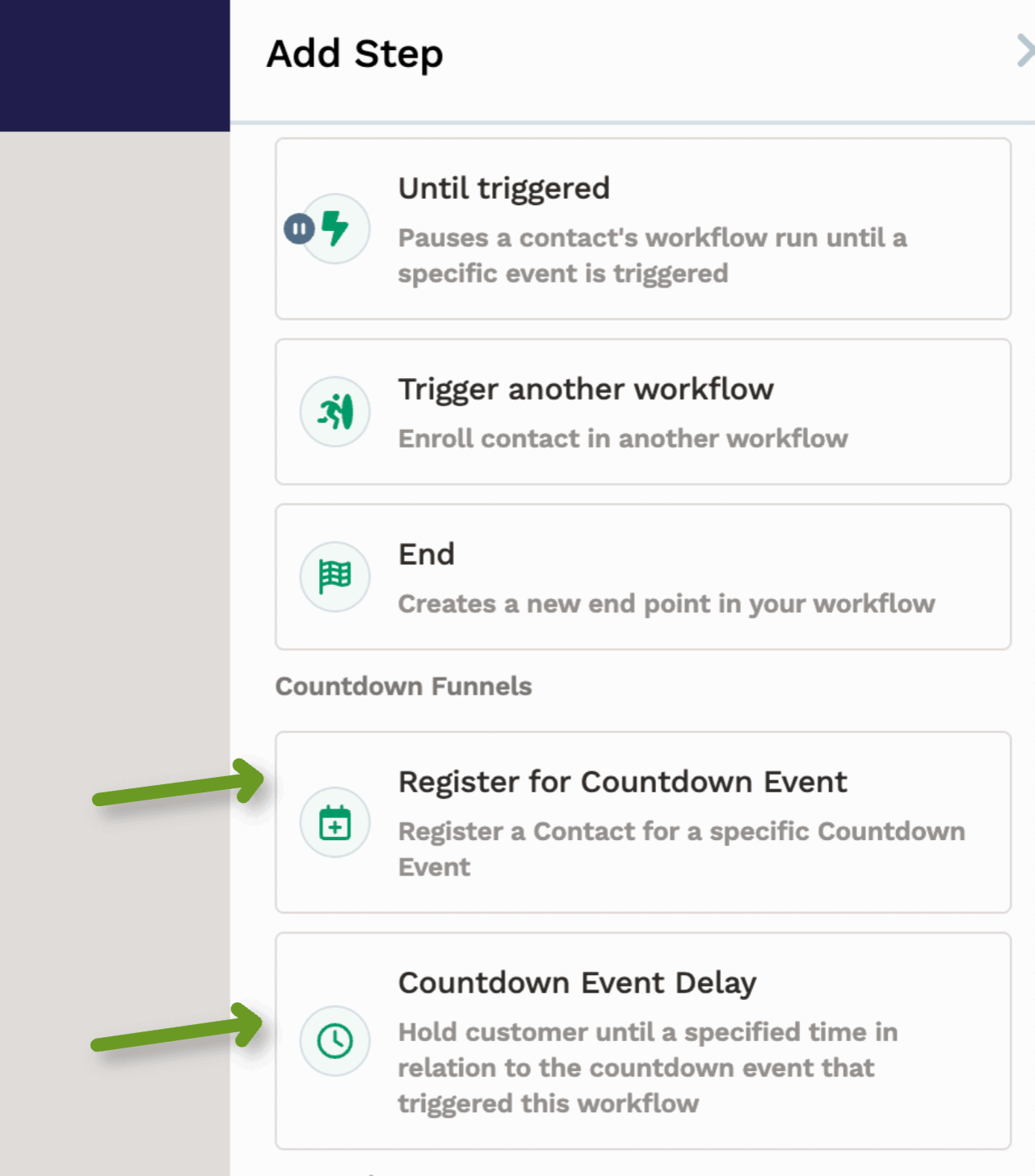
- 🆕 New “Register for Countdown Event” step: Live in the new “Countdown Funnels” group of the workflow steps drawer, alongside the Event Delay step. Drop it into any workflow to register the contact for the countdown event of your choice.
- 🔀 New “Registered for Countdown Event” filter condition: Branch workflows based on whether a contact is already registered for a specific event or a group of events. Great for routing non-registrants to an alternate event or tailoring reminder sequences by registration status.
- 💡 Kicks off event-triggered sequences cleanly: Registering a contact through this step fires the “Countdown Event - Contact Registered” trigger, so any follow-up workflow built on that trigger runs end to end.
Whether you’re rescuing missed opt-ins, running close-cart campaigns, or managing webinar registrations, your workflows now handle countdown event registration end to end. 🚀